Amazon Gift Card Validity in India: How Long It Lasts and What to Do If It Expired
Most Amazon gift cards in India are valid for 12 months, but the clock belongs to the card, not to you. How to see the date, use the balance in time, and what to do if a code has already expired.
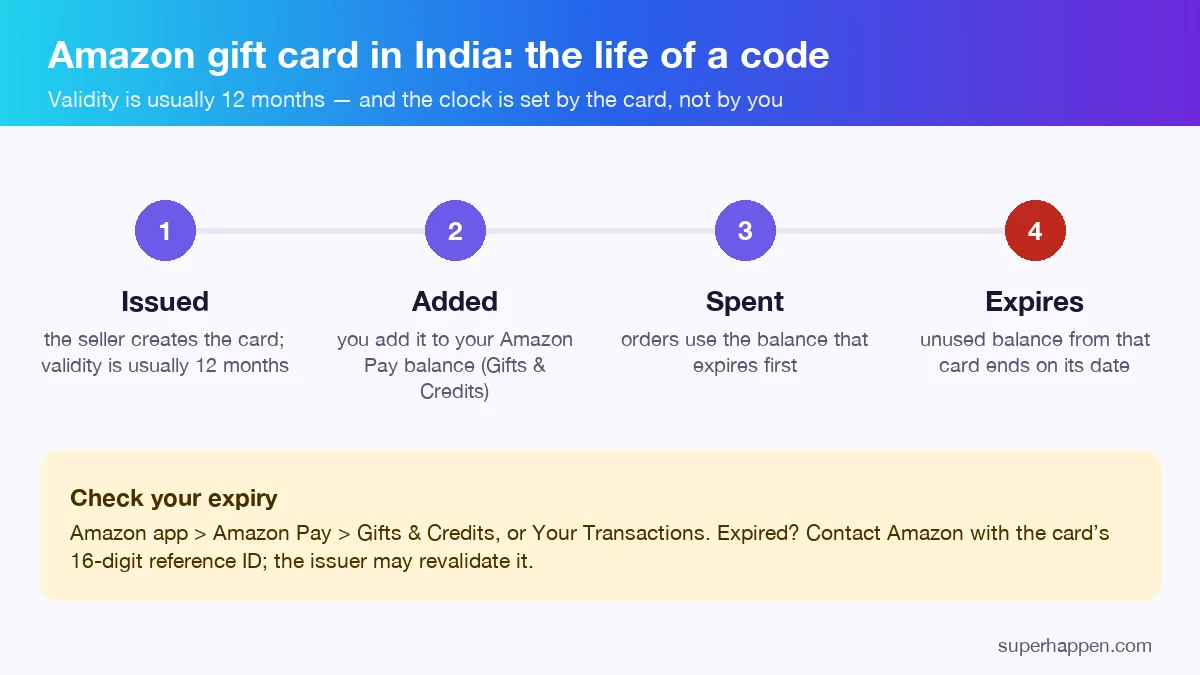
An Amazon gift card in India is usually valid for 12 months from the day it is issued or delivered — and the date belongs to the card, not to when you add it. Adding a card to your balance does not restart the clock. Each card's balance keeps its own expiry date, so the safest habit is to add a card the day you get it and spend the oldest balance first.
How long does an Amazon gift card last?
Amazon's own India help pages and the terms of the companies that issue Amazon Pay gift cards put the usual validity at one year. The exact start point depends on the issuer: some count from the date the card is issued, some from activation or delivery. Promotional and reward codes — the kind rewards apps and contests hand out — can carry a shorter validity set by whoever bought the batch, which is why a code from a reward can expire sooner than one you bought yourself.
Where to see the expiry date
- Open the Amazon app and go to Amazon Pay.
- Open Gifts & Credits (gift card balance is kept separately from money you load yourself).
- Open Your Transactions to see each card you added and the date its balance expires.
Amazon also sends a reminder before a balance expires, but only for cards already added to your account. A code you have not added yet sends no reminder at all — another reason to add it the same day.
Which balance gets used first?
When you pay with your gift card balance, Amazon uses the balance that expires earliest first. You do not need to choose; just make sure you actually place an order before the oldest date passes. Small cards are easiest to lose this way, because a ₹10 balance never feels urgent.
What to do if your code has expired
- Not added yet and Amazon says "expired"? Contact whoever gave you the code first. If it came from a rewards app, that app chose the batch and is responsible for replacing it — on Superhappen, write to hello@superhappen.com from the email you sign in with; after we check the claim, a working code goes into the same Wallet slot.
- Added, and the balance expired? Contact Amazon customer service with the card's 16-digit reference ID. Issuers' terms allow a request to revalidate an expired card, though it is not guaranteed.
- Bought it yourself? Keep the purchase receipt and the reference ID; the seller or issuer can look the card up from either.
Other refusal messages ("already redeemed", "invalid", "cannot be added to this account") have different causes; each one is explained in why an Amazon gift card is refused.
Three habits that mean a card never expires on you
- Add every card to your balance the day you receive it.
- Check Gifts & Credits once a month; the earliest date is the one that matters.
- Use small balances on small orders — a recharge, an ebook, a household item — instead of saving them for one big purchase.